Looking for an alternative to Archbee? You've come to the right place.
Archbee is a documentation platform built with software developers and product teams in mind. It allows organizations to organize their internal documentation and publish a user-facing knowledge base within one platform. It has many unique features geared towards developers, including integrations with Jira and GitHub, custom content blocks for API documentation, Mermaid Diagrams, Swagger UI, GraphiQL, and general code.
That said, Archbee is not a perfect fit for everyone. Some users run into performance issues, bugs, or limitations around search and mobile access. Others find it too technical for non-developer teams. If any of that sounds familiar, it might be time to look at other options.
In this guide, we compare the best Archbee alternatives and explain what each tool does well, where it falls short, and which type of team it works best for.
Why teams look for an Archbee alternative
Archbee works well for some teams, but it does not fit everyone. Common reasons teams decide to switch include:
- The editing experience offered by Archbee isn't always smooth (source)
- Many Archbee users report running into many bugs and other issues (source)
- Some users report that the search feature of Archbee is lacking (source)
- Archbee doesn't offer a mobile app yet, making it harder to access it on the go.
If some of this sounds familiar, switching tools can make documentation easier to maintain and easier to use day to day.
Top 5 Archbee alternatives
To make your decision easier, we've put together a list of the best Archbee alternatives and competitors, based on real reviews.
Check out the list below and find the knowledge base software that best suits your needs.
1. Nuclino
- Pricing: Free, advanced features starting from $6/user/month
- Rating on Capterra: 4.7/5
- Best for: Collaborative internal documentation
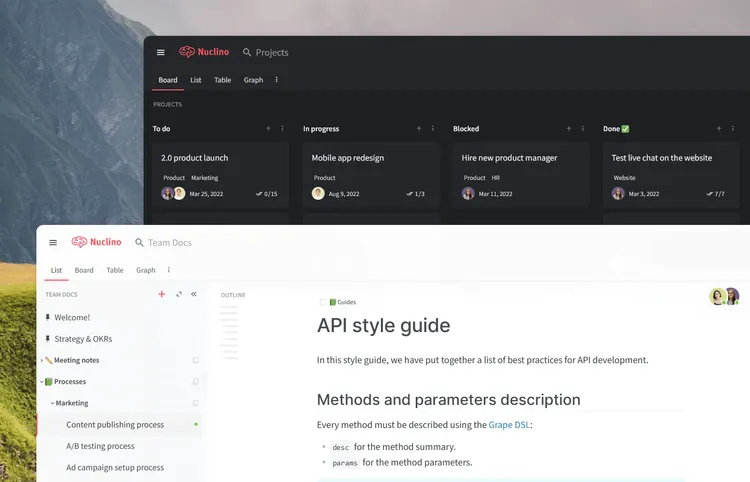
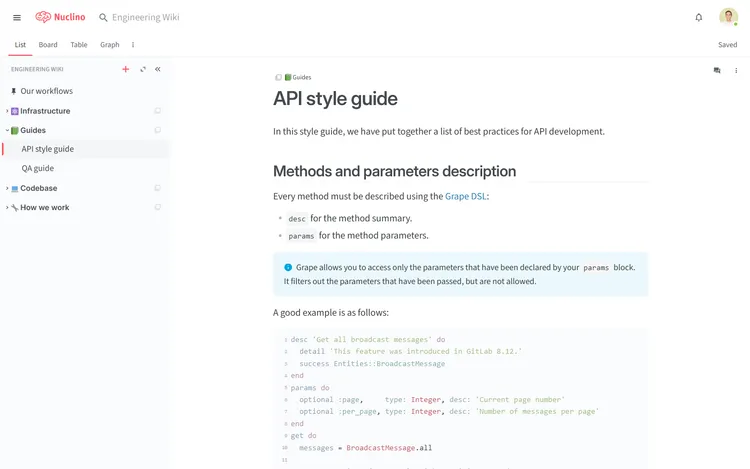
If you are looking to replace Archbee as your documentation tool, Nuclino can be a great alternative. It's a perfect solution for building a more collaborative internal knowledge base for your team or publishing your docs to the web — and bringing all your work together in one place.
While in Archbee, collaboration is mainly facilitated by comments, all content in Nuclino can be collaboratively edited by multiple team members in real time without version conflicts. Every change is automatically preserved in the version history and previous versions can be easily restored if needed. In case you are looking to build a more static knowledge base, you can also assign the read-only or comment-only roles to your users, preventing unwanted or accidental edits.

Performance is another notable strength of Nuclino. Every interaction, from search to editing, is optimized for speed — no loading spinners or unnecessary waiting. Markdown commands and hotkeys help you quickly format content without taking your hands off the keyboard. The search is just as fast, allowing you to quickly retrieve the information you need.
You can also turn any Nuclino workspace into a public website, accessible to anyone on the web and discoverable via search engines. It's perfect for help centers, user documentation, changelogs, and much more.

It's worth noting that while Nuclino can be used exclusively as a documentation platform, it's a highly versatile tool that is capable of much more. It's a unified workspace that works like a collective brain, allowing you to bring all your knowledge, docs, and projects together in one place. It works out of the box, with virtually no learning curve, allowing not only developers, but also non-technical users to quickly get the hang of it.
If you're a fan of Archbee AI, you will also appreciate Sidekick, the AI-powered assistant built into Nuclino. Sidekick can help you find information, generate ideas, create first drafts, summarize long documents, and more.
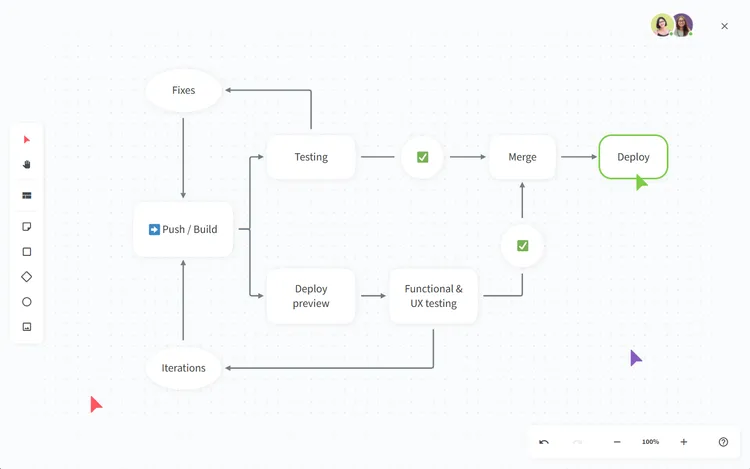
Nuclino also offers built-in visual collaboration and allows you to add an infinite collaborative canvas to any document. You can use it to create diagrams and flowcharts, run visual retrospectives, brainstorm ideas using sticky notes, and much more.
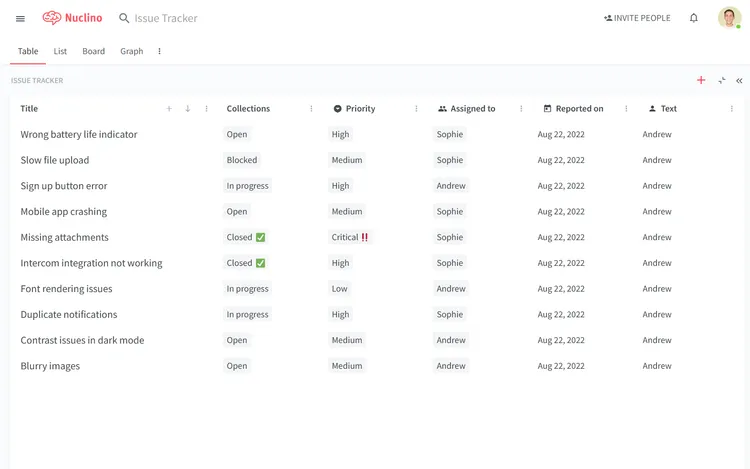
Nuclino offers a variety of ways to structure and visualize your content, including a nested list, a Kanban board, a table, and a mindmap-style graph. This makes it a great solution for many additional use cases, including project collaboration, sprint planning, issue tracking, asynchronous communication, and more. It works like a collective brain, allowing you to bring all your team's work together in one place and collaborate without the chaos of files and folders, context switching, or silos.
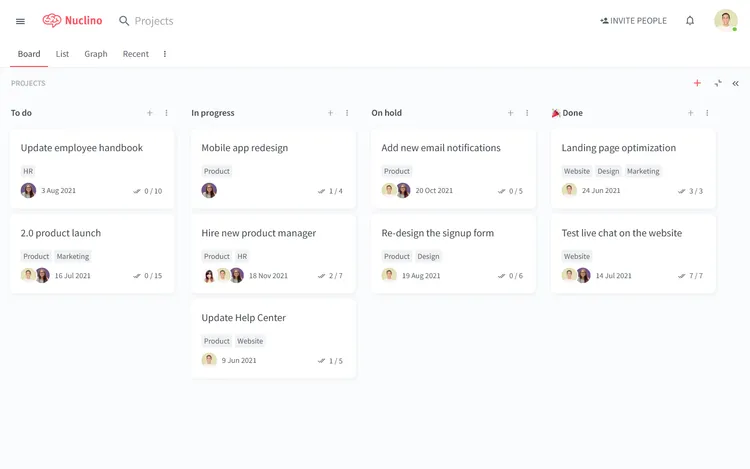
At the same time, Nuclino remains a remarkably lightweight and simple tool. Its interface is clean, intuitive, and distraction-free, with no clunky menus or complex settings. It requires minimal configuration and works out of the box, allowing anyone to quickly get started with the tool.
What users say about Nuclino:
"Great knowledge base for capturing information. We use Nuclino daily to make sure we're documenting everything — from sales playbooks to HR processes to specific data collection checklists. It's easy to use, update, comment, and share."
2. Confluence
- Pricing: Free, advanced features starting from $5/user/month
- Rating on Capterra: 4.5/5
- Best for: Atlassian-focused teams
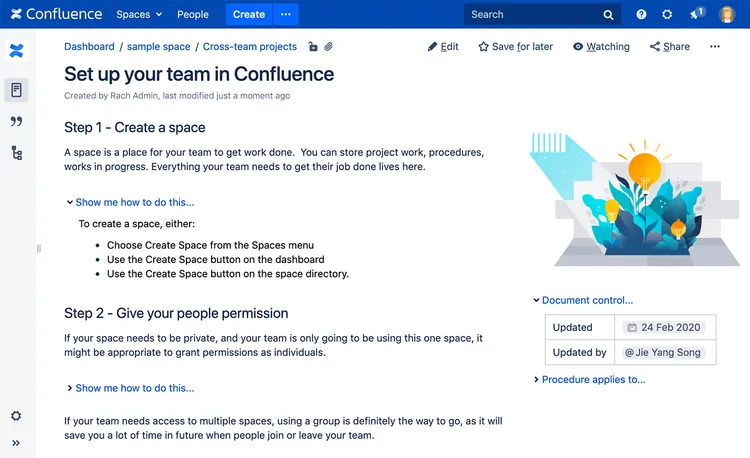
No list of Archbee competitors would be complete without mentioning Atlassian Confluence, one of the oldest knowledge base software and documentation tools available. For teams seeking a more robust and feature-rich solution, Confluence serves as an excellent alternative to Archbee.
As part of the Atlassian product suite, Confluence's key strength lies in its seamless integration with other Atlassian tools like Jira and BitBucket. While both Archbee and Confluence cater to developers, some non-technical users might find Confluence's engineering-oriented aspects a bit overwhelming. Nevertheless, experienced software development teams may value its flexibility and extensive range of features.
Looking for more tools similar to Confluence? Check out this list of Confluence alternatives.
What users say about Confluence:
"Confluence helped our team document our processes and compile our technical documentation and scripts in a central location. Confluence makes it easy to create and share a document, and also update documentation and alert 'watchers' (those tied to a page) whenever changes are made. The ability to link articles to Jira helps tie technical issues to real problems that were solved. Confluence is very feature-rich and takes some time to learn, but it is worth the investment."
3. GitHub Wiki
- Pricing: Free, advanced features starting from $4/user/month
- Rating on Capterra: 4.2/5
- Best for: Developer-centric docs tied to code
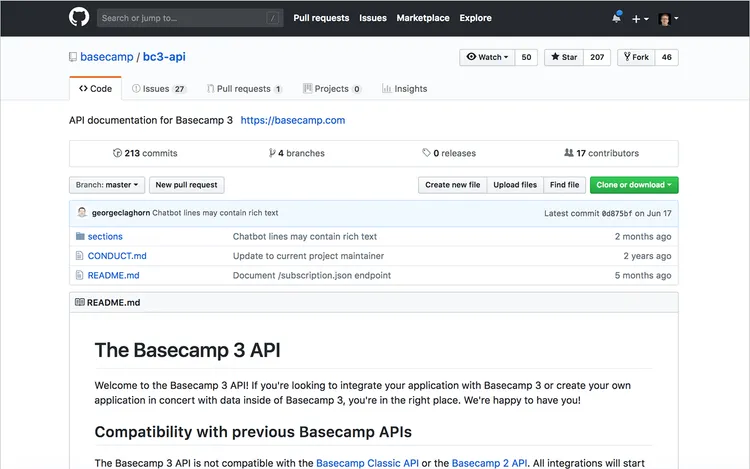
GitHub Wiki is another popular alternative to Archbee. Every GitHub repository includes a dedicated section called "Wiki" for hosting documentation. The free plan allows the hosting of public-facing documentation, while the paid plans offer the option to keep it private or public. GitHub Wiki supports Markdown, allowing you to include rendered math expressions, diagrams, maps, and 3D models alongside regular content.
However, keep in mind that GitHub's primary focus is not hosting documentation, leading to some limitations compared to Archbee. Nevertheless, if you prefer a simple and no-frills solution, GitHub Wiki might still be a suitable fit.
What users say about GitHub Wiki:
"GitHub checks all the boxes for a basic version controlling platform, but it has so much more available. It has tons of great integrations to run tests against code, as well as plenty of ways to create internal documentation similar to a wiki article."
4. Papyrs
- Pricing: Free, advanced features starting from $89/month
- Rating on Capterra: 5/5
- Best for: Customizable internal portals
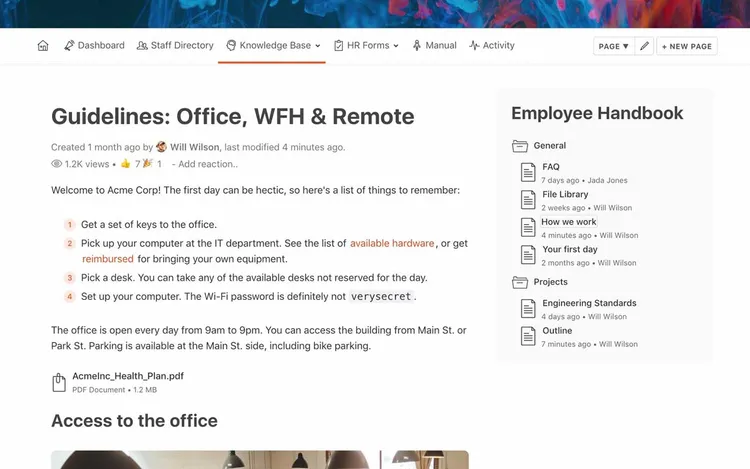
Papyrs is a versatile tool that can be used as a knowledge base, company intranet, and user documentation platform. While it may not be as powerful and flexible as some other popular Archbee alternatives, Papyrs stands out for its user-friendly interface. It provides all the essential features, including a drag-and-drop page editor, powerful search, version history, user permissions, and comments.
Additionally, you can make parts of your knowledge base public for product documentation, customer feedback, or sharing work with clients and partners.
Keep in mind that Papyrs follows a tiered pricing model, with its cheapest plan starting at $89 per month, which may be relatively expensive for small teams.
What users say about Papyrs:
"There is no learning curve. By the time you open the tool, you already understand how it works. It is very useful to be used as an online workspace for any type of team, of any size. It's highly customizable, you can use it to manage processes and routine work, also projects, and even use it as a knowledge base."
5. Wiki.js
- Pricing: Free, open-source
- Rating on Capterra: No rating yet
- Best for: Open-source, self-hosted option
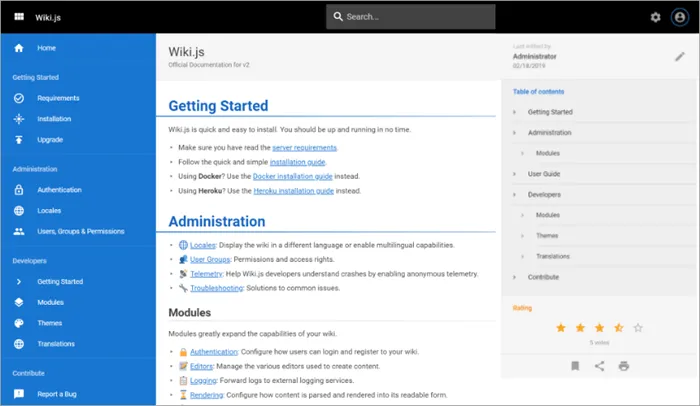
Wiki.js is a robust open-source alternative to Archbee. Well-liked among developers, this wiki tool stores content directly as Markdown (.md) files and synchronizes with your remote Git repository. Featuring a modern and elegant interface, it serves as an excellent platform for internal and external documentation needs.
If you are a team of developers seeking a high-performance, self-hosted alternative to replace Archbee, Wiki.js is worth exploring.
How we evaluated these Archbee alternatives
This comparison is based on hands-on use of each tool, a review of product documentation, and long-term user feedback from platforms like Capterra. We focused on how these tools perform in real documentation workflows, including editing, collaboration, structure, search, and publishing.
The list is updated regularly to reflect product changes and new features.
Find the best Archbee alternative for your team
Archbee is a solid documentation tool, but it might not perfectly align with your organization's needs. While there's no definitive "best" alternative to Archbee, there are several noteworthy options available.
Selecting the right solution hinges on your team's specific requirements and preferences. If you seek a modern and user-friendly replacement for your internal knowledge base, Nuclino could be an excellent choice. For feature-rich tools geared towards software development teams, Confluence or GitHub Wiki are worth considering. Papyrs could serve as a decent alternative for large teams, while Wiki.js offers an appealing open-source, self-hosted platform.