Most companies already have the information that belongs in an internal wiki. The problem is that it is often scattered across tools. Policies may live in Google Drive, processes in old documents, technical knowledge in GitHub, and day-to-day answers in Slack or Teams.
An internal wiki brings that information into one shared place where employees can find it, update it, and connect related knowledge. It can be as simple as a company handbook or as broad as the main knowledge system for the whole organization.
This guide explains what an internal wiki is, shows common and real-world examples, compares internal wiki software, and covers how to build and maintain one.
What is an internal wiki?
An internal wiki is a private, shared workspace where employees create, organize, and maintain company knowledge. It gives people one place to find the information they need to do their work and understand how the company operates.
Employees can add and update information as they work, allowing the wiki to grow alongside the organization. It can serve as a central reference point for policies, processes, project knowledge, technical documentation, onboarding material, and other internal information. It acts as your team's single source of truth – you can think of it as your company's own internal Wikipedia.
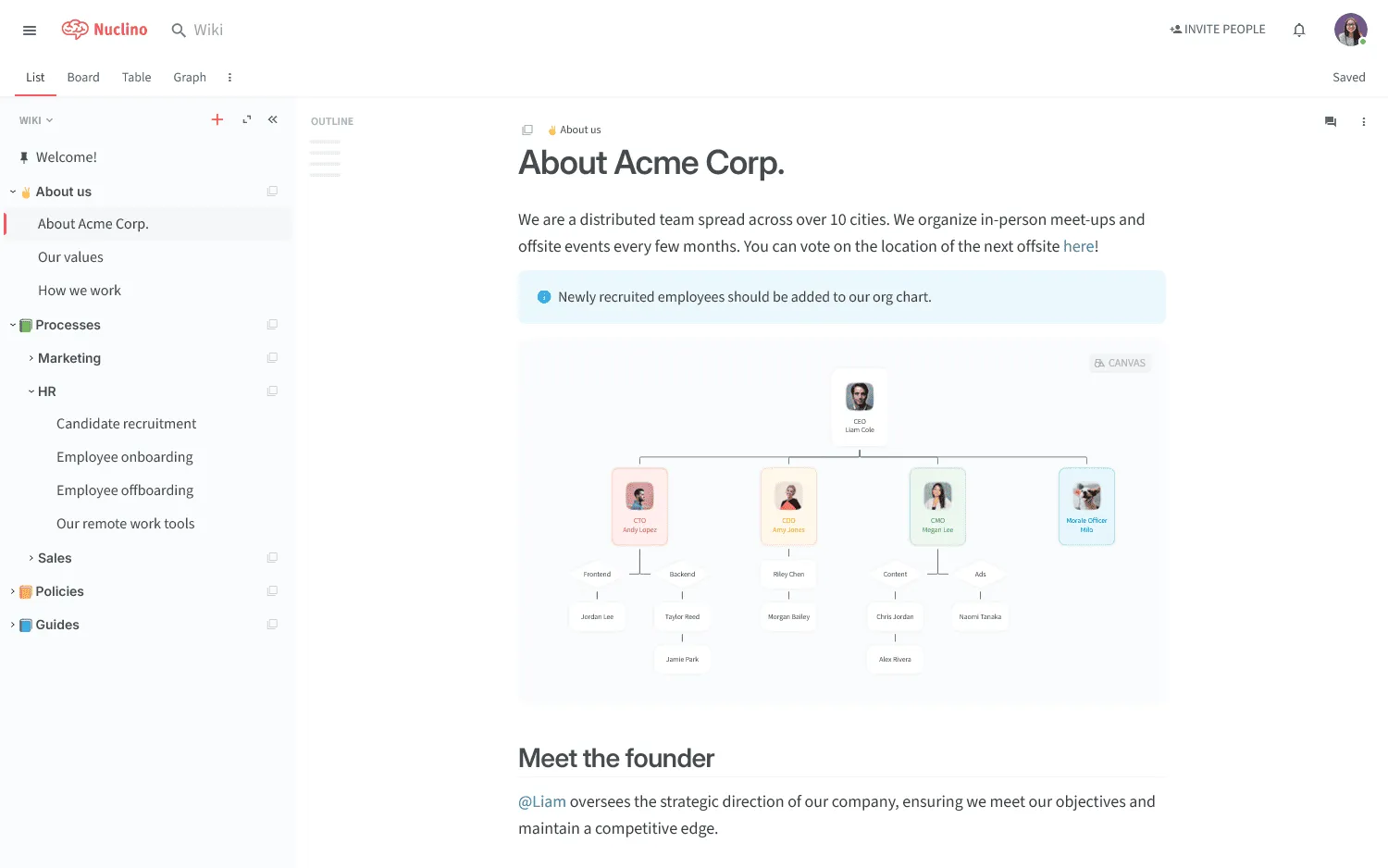
An example of an internal wiki created in Nuclino
The terms internal wiki, company wiki, corporate wiki, and internal knowledge base are sometimes used interchangeably. If you're looking for a broader guide to setting up a wiki across your organization, see our guide to building a company wiki.
Internal wiki vs knowledge base
Internal wikis and internal knowledge bases overlap, so many teams use the terms interchangeably.
A wiki usually puts more weight on collaborative editing and connected pages. Employees across the company contribute knowledge as they work, and the structure grows with the content.
A knowledge base often has a more controlled publishing model. A smaller group may own the content, with formal review or approval before information is published.
In reality, a company can have both models in the same workspace. An engineering section may be open for collaborative editing, and HR policies can have tighter permissions and ownership.
Internal wiki examples
An internal wiki can cover the whole company or focus on one area such as onboarding, processes, projects, or technical documentation. These are some of the most common examples.
Common internal wiki examples
- Employee handbook: Company policies, benefits, time-off rules, communication guidelines, team structures, and other HR information.
- Process and SOP library: Step-by-step instructions for recurring tasks, approval flows, checklists, software guides, and quality-control procedures.
- Project documentation hub: Project briefs, goals, responsibilities, decisions, meeting notes, research, timelines, and retrospectives.
- Training and onboarding wiki: First-week checklists, setup instructions, role-specific training, tool guides, team norms, and other material new employees need.
- Engineering and IT wiki: Architecture notes, development setup, runbooks, deployment instructions, incident procedures, infrastructure documentation, and system diagrams.
- Product wiki: User research, product principles, specifications, feature decisions, release processes, and recurring product questions.
- Sales and support wiki: Positioning, qualification criteria, objection handling, handoff processes, troubleshooting instructions, escalation procedures, and common customer questions.
Real-world internal wiki examples
A few companies publish parts of their internal documentation publicly, making it possible to see how a working wiki is organized.
GitLab Handbook
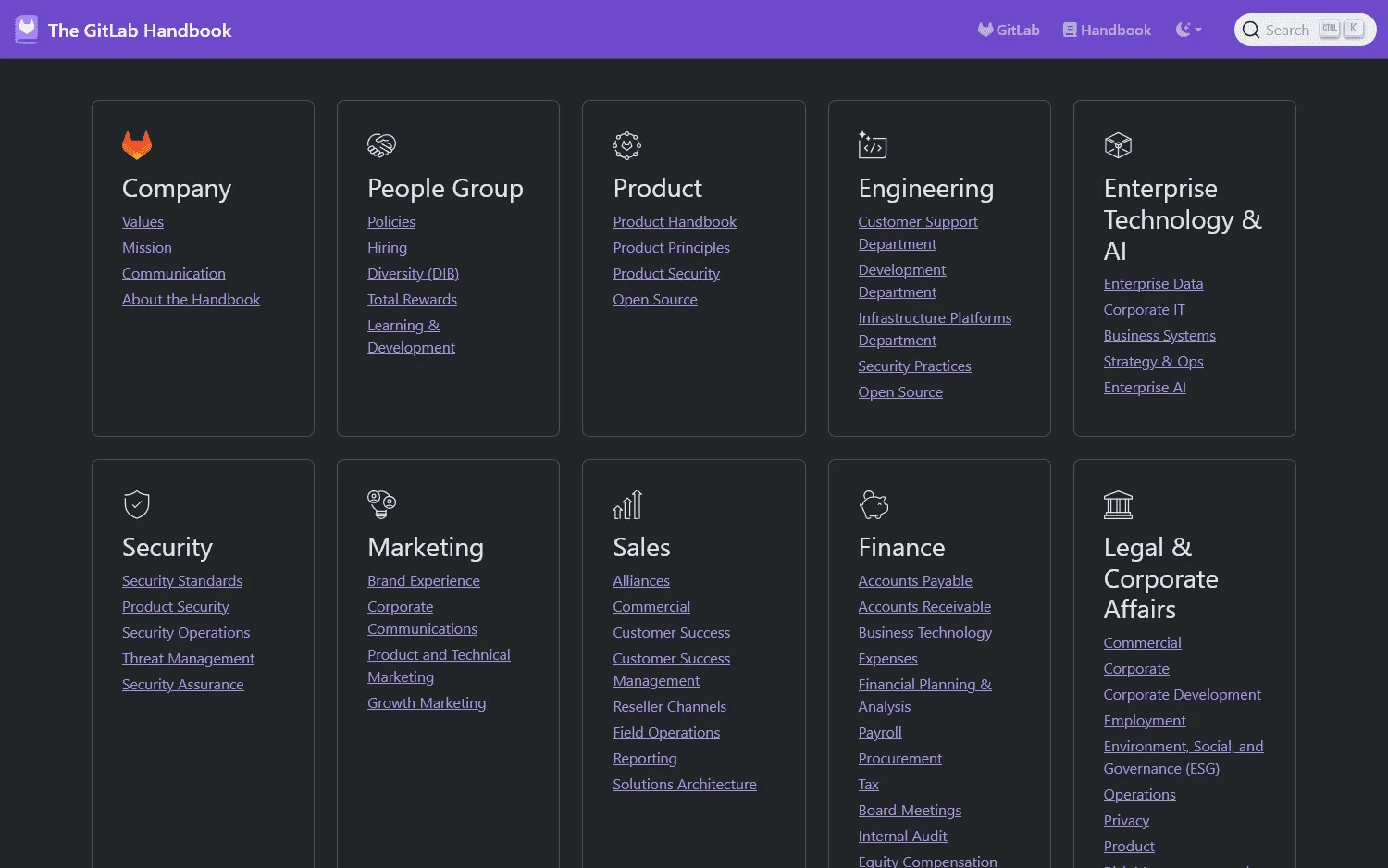
The GitLab Handbook is the central repository for how GitLab runs the company. It contains more than 2,000 pages covering areas such as company policies, hiring, product, engineering, security, sales, finance, and operations.
GitLab follows a handbook-first approach, so changes to company processes are documented in the handbook and employees are expected to keep it current. Information that cannot be public is kept in a separate internal handbook. This is a useful example of a large wiki organized around functions and company processes.
37signals Employee Handbook
The 37signals Employee Handbook focuses more narrowly on employee information. Its sections cover getting started, benefits, how the company works, career development, internal systems, policies, and its code of conduct.
PostHog Handbook
PostHog also publishes its company handbook, covering how the works, its teams, hiring, product development, communication, and other internal practices.
Why use an internal wiki?
An internal wiki is useful when important information is scattered across chat, shared drives, old documents, and individual employees.
Faster access to company knowledge
Employees have one place to search for processes, policies, technical documentation, decisions, and other frequently needed information. In Microsoft's 2023 Work Trend Index, 62% of survey respondents said too much of their workday was spent searching for information.
Easier onboarding
New employees can work through onboarding guides, team documentation, policies, and role-specific material at their own pace. Managers and coworkers spend less time answering the same setup questions for every new hire.
Less knowledge loss
Processes and decisions stay available when the person who originally knew them changes roles or leaves the company. A 2023 systematic review of 91 empirical studies examined how employee turnover leads to organizational knowledge loss.
Better asynchronous work
A well-maintained wiki gives employees access to the same information across offices and time zones. Decisions and processes do not depend on the right person being online when a question comes up.
Best internal wiki software
The best internal wiki software depends on how your company creates knowledge, how much control it needs, and where employees already look for information. It might be tempting to use familiar tools like Google Docs for your internal wiki, but dedicated software is usually a better choice. For a broader comparison that also covers self-hosted and open-source options, see our wiki software guide.
For this comparison, we looked at how each tool handles the core requirements of an internal wiki: editing, navigation and search, content maintenance, permissions, version history, integrations, and ongoing administration.
| Tool | Best for | Starting price | Main limitation |
|---|---|---|---|
| Nuclino | Simple wikis and collaborative knowledge | Free; paid plans from $6/user/month | Fewer advanced governance and admin controls for large enterprises |
| Slite | Keeping company knowledge reviewed and current | $10/member/month | Less flexible permission and administration options |
| Confluence | Larger companies and teams already using Jira | Free; Standard from $5.42/user/month | Can require substantial setup and administration as the wiki grows |
| Notion | Wikis combined with databases and projects | Free; Plus from $10/member/month | Large wikis need clear conventions to stay organized |
| Guru | Enterprise knowledge spread across many systems | Custom pricing | Less suited to a traditional browsable wiki structure |
| Document360 | Controlled internal documentation and publishing workflows | Custom pricing | Its publishing workflow can feel heavy for broad employee contribution |
1. Nuclino
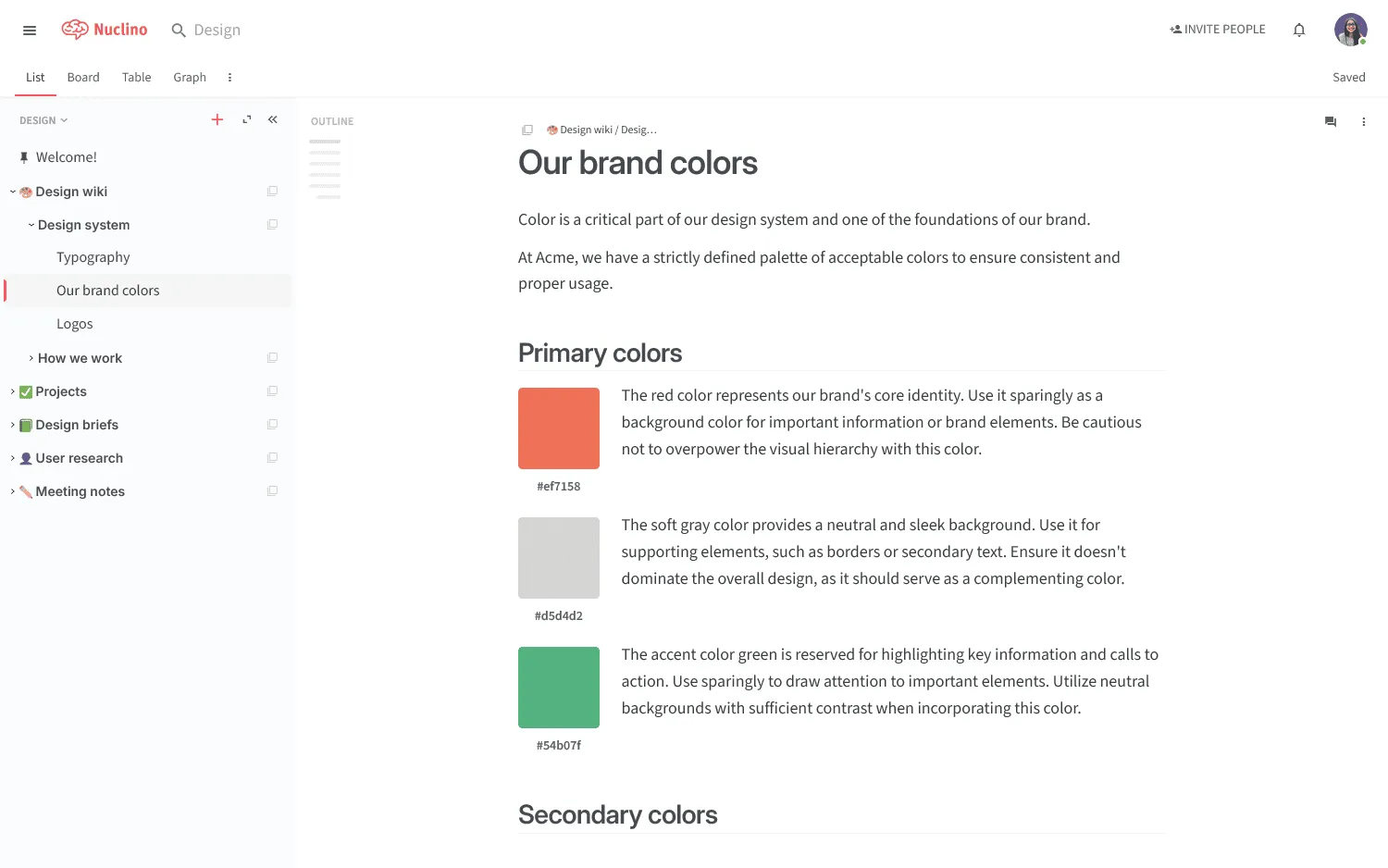
Nuclino is a lightweight internal wiki designed to be easy to set up and maintain. Teams can organize company knowledge into workspaces and collections, connect related pages with internal links, and find information through navigation or search.
Real-time editing, comments, version history, and permissions cover the main needs of a collaborative wiki. Sidekick also lets employees ask questions and get answers based on the content in the workspace.
Pricing: The free plan includes up to 50 items and three canvases. Paid plans start at $6 per user per month.
2. Slite
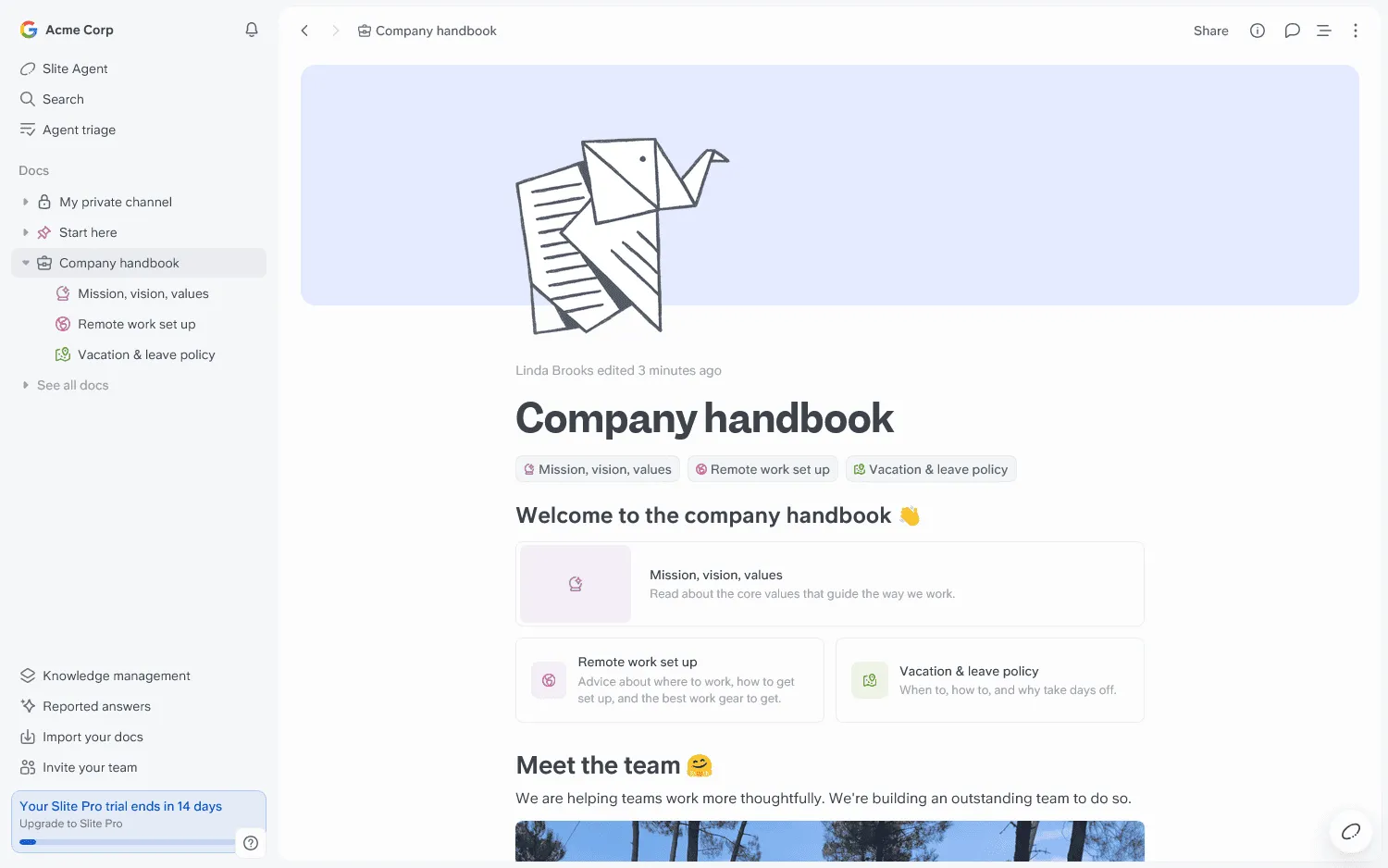
Slite is an internal knowledge base with a particular focus on keeping documentation current. Pages can have owners and review dates, and verification features help employees identify information that is still trustworthy.
Its Ask feature lets employees search company knowledge using natural-language questions, and higher plans can extend search to connected tools.
Pricing: Basic costs $10 per member per month. Pro costs $20.
3. Confluence
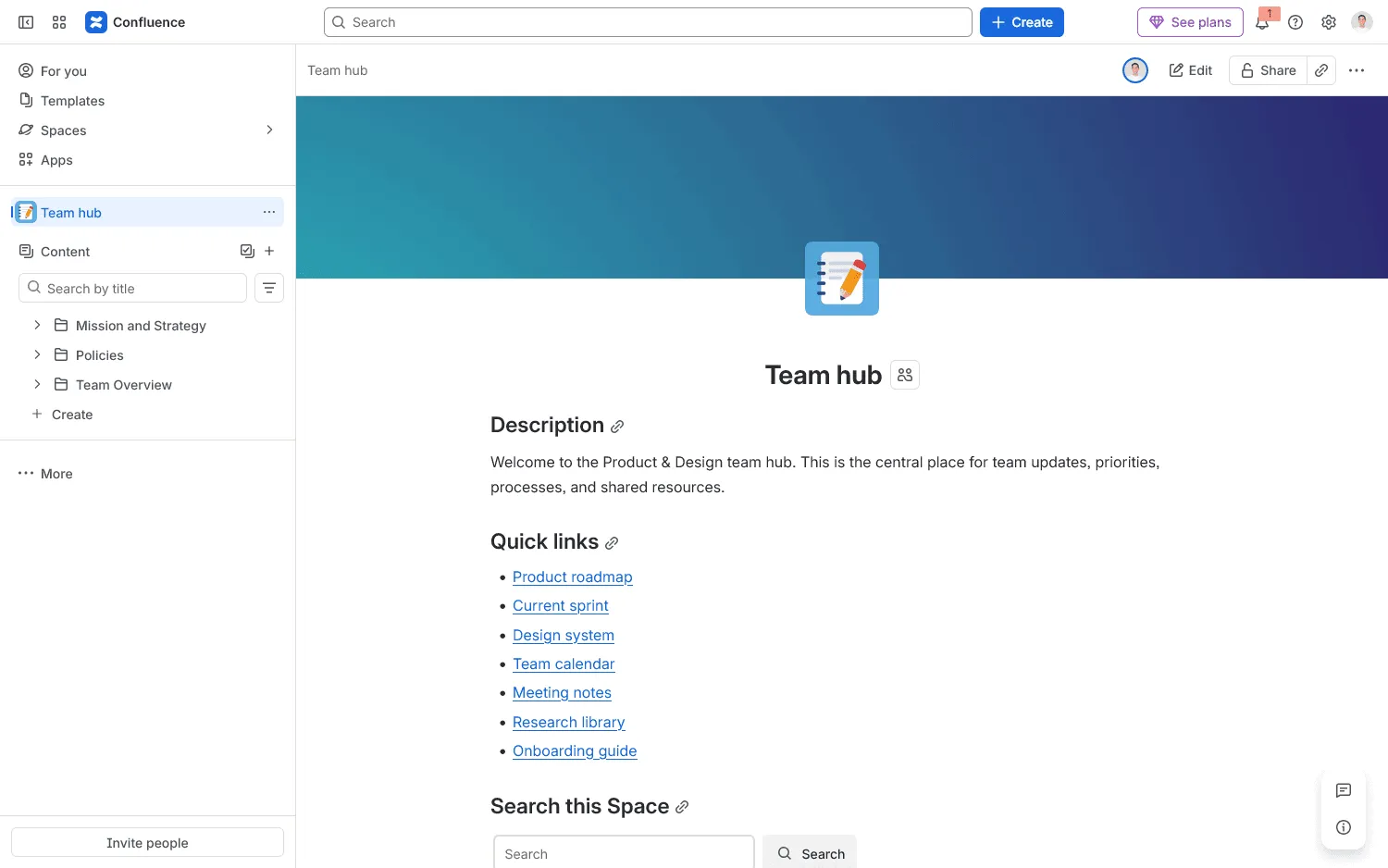
Confluence organizes company knowledge into spaces and nested pages, with detailed permissions, version history, templates, and administrative controls.
It is particularly well suited to larger companies already using Jira, where engineering and product documentation can stay connected to existing Atlassian workflows. Rovo adds AI-powered search and answers across company knowledge.
Pricing: Confluence is free for up to 10 users. Standard starts at $5.42 per user per month.
4. Notion
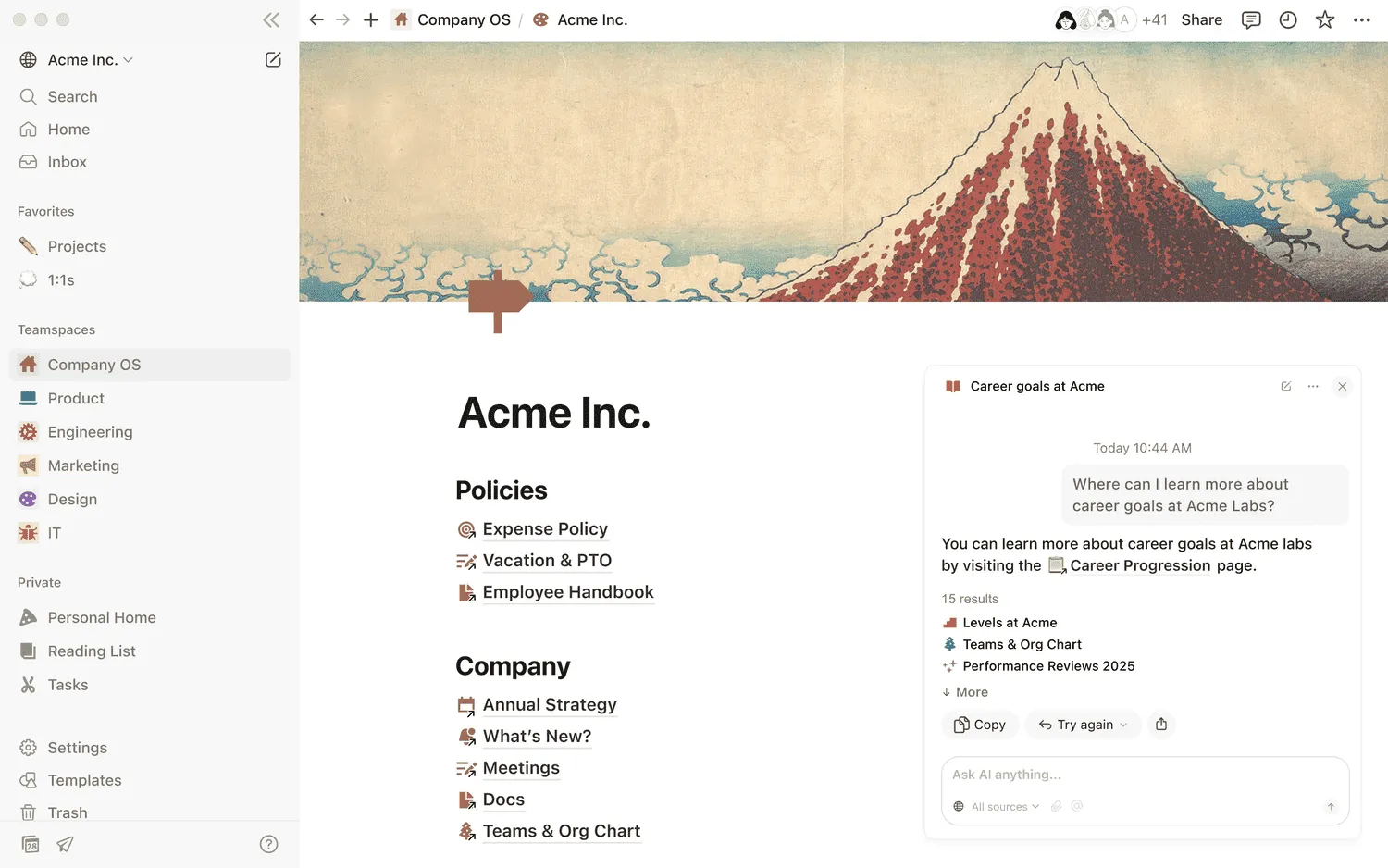
Notion can be set up as a flexible wiki using pages, teamspaces, internal links, and databases. Page owners and verification help teams mark important information as current, and Enterprise Search can find information across Notion and connected tools.
Its flexibility gives teams a lot of control over how the wiki is structured, but larger workspaces need clear conventions to stay organized.
Pricing: Notion has a free plan. Plus starts at $10 per member per month with annual billing.
5. Guru
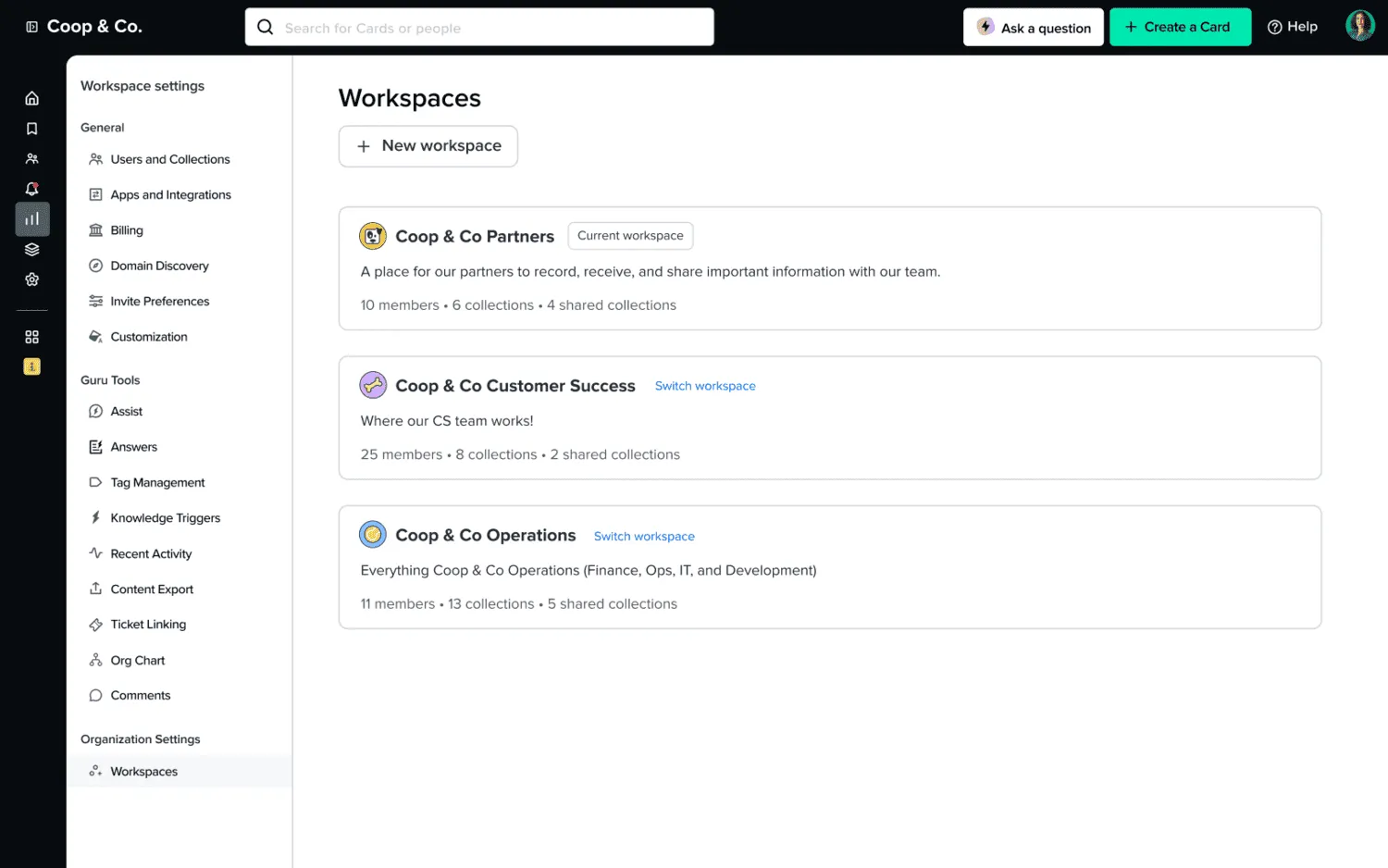
Guru is built for companies whose knowledge is spread across multiple systems. It can search sources such as Google Drive, Slack, Confluence, Salesforce, and SharePoint and return sourced answers through its Knowledge Agents.
Guru also includes ownership and verification features for keeping important information current. It fits larger organizations that want one search layer across existing company knowledge.
Pricing: Guru uses custom pricing.
6. Document360
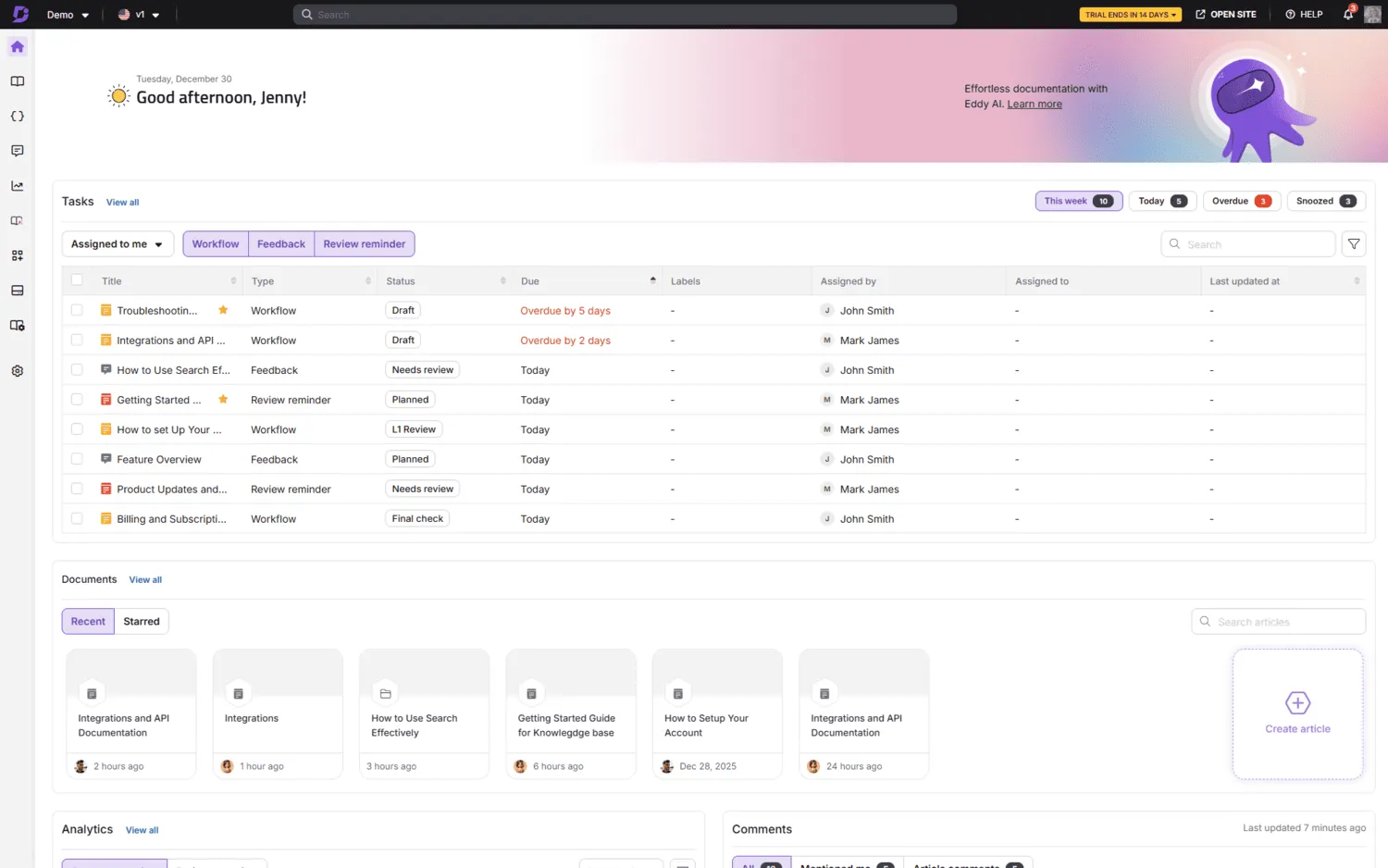
Document360 is a structured knowledge base platform for companies that want more control over how internal documentation is created and published.
It includes revision history, review reminders, approval workflows, permissions, analytics, and AI-powered search with citations to source articles. It is best suited to documentation with clear owners and a more formal publishing process.
Pricing: Document360 uses custom pricing.
Best open-source internal wiki software
Open-source internal wiki software gives your company more control over hosting, data, and customization. The software itself can be free, but your team is responsible for deployment, updates, backups, security, and ongoing maintenance.
| Tool | Best for | Hosting | Price | Main limitation |
|---|---|---|---|---|
| DokuWiki | Lightweight traditional wikis | Self-hosted | Free | Older interface and more technical setup |
| Wiki.js | Modern self-hosted wikis | Self-hosted | Free | Hosting, updates, backups, and security are your responsibility |
| BookStack | Simple documentation with a fixed hierarchy | Self-hosted | Free | The books, chapters, and pages structure is less flexible |
DokuWiki
DokuWiki is a lightweight open-source wiki that stores content in plain files and does not require a database. It includes search, page history, access controls, external authentication, and a large plugin ecosystem. It suits technical teams that want a traditional internal wiki they can host and maintain themselves.
Wiki.js
Wiki.js is a modern open-source wiki for companies that want to host their knowledge base on their own infrastructure. It supports visual editing and Markdown, along with integrations for authentication, search, storage, and Git. Your team is responsible for operating and securing the service.
BookStack
BookStack is a self-hosted wiki with a fixed structure of shelves, books, chapters, and pages. It includes search, page revisions, internal links, and role-based permissions. It works well for handbooks, SOPs, and technical documentation that fits naturally into a clear hierarchy.
How to choose internal wiki software
When comparing internal wiki tools, test them with realistic content and the people who will actually use them.
- Test the editing experience. Ask a few employees to create and update a page. See how quickly they can format content, add links, upload files, and make small corrections without training.
- Build a realistic structure. Create several sections and enough pages to resemble a real internal wiki. Check how easy it is to reorganize content and connect related pages.
- Test search with real questions. Search using words that do not exactly match page titles. If the tool includes AI search, check whether answers cite their sources and respect permissions.
- Check how stale content is handled. Look for page ownership, review dates, verification, version history, analytics, and other ways to identify outdated information.
- Review permissions and administration. Check the controls available on the plan you would actually use, including groups, guest access, SSO, SCIM, audit logs, and granular permissions where relevant.
- Check the integrations you use. Test connections to tools such as Slack, Microsoft Teams, Jira, GitHub, Google Drive, or SharePoint.
- Consider hosting and maintenance. If you are considering self-hosted software, factor in updates, backups, security, and uptime.
- Compare the real cost. Price the plan you would need at your expected number of users, including features such as AI, SSO, longer version history, advanced permissions, and additional storage.
AI and internal wikis
AI can make an internal wiki easier to search by letting employees ask questions in natural language and get answers based on company documentation.
Useful AI wiki features include:
- Source citations: Links back to the pages used to generate an answer.
- Permission-aware answers: Employees only see information they already have access to.
- Connected search: Some tools can also search sources such as Slack, Google Drive, Jira, or SharePoint.
For example, Nuclino comes with an AI-powered assistant Sidekick that can instantly answer any question based on your team's collective knowledge documented in the wiki.
AI still depends on the quality of the underlying documentation. Outdated pages can lead to outdated answers.
How to create an internal wiki
You do not need to document the entire company before launching an internal wiki. Start with the information people already need, then expand it as the wiki gets used.
If you're planning a wiki that will serve the whole organization, our company wiki guide goes deeper into what to include, how to structure it, and how to keep it useful as the company grows.
1. Choose the software
Pick a tool that employees can easily contribute to and that gives you the search, permissions, integrations, and administration your company needs.
The wiki software comparison above covers several hosted and open-source options. If you are using Nuclino, you can also follow its guide to setting up your first workspace.
2. Create a simple structure
Start with a small number of areas that employees will immediately recognize, for example:
- Company and HR
- Product
- Engineering
- Sales and support
- Processes and operations
You can add more structure later as the wiki grows. In Nuclino, workspaces can separate major topics or access levels, while collections group related pages within a workspace.
3. Add the content people need most
You do not need hundreds of pages at launch. Start with material employees already search for or ask about regularly:
- Onboarding guides and company policies
- Recurring processes and SOPs
- Product and project documentation
- Engineering and IT documentation
- Answers to common internal questions
For recurring page types, templates can save time and keep information consistent. Nuclino, for example, lets you turn existing pages into reusable item templates.
4. Invite the team and improve the wiki over time
Set appropriate access for the information you have added, then invite employees to use and contribute to the wiki. Important pages may need clear owners, while most day-to-day documentation can stay collaborative.
After launch, pay attention to what people search for, which questions still get asked, and where duplicate or outdated information starts to appear. Use those signals to decide what to add or improve next.
Common internal wiki problems
Even a well-designed wiki can become less useful over time. Common problems include:
- Outdated information: Old policies, processes, and instructions can quickly make employees lose trust in the wiki.
- Poor structure and search: If pages are hard to browse or find, people go back to asking coworkers or searching through chat.
- Duplicate pages: Multiple versions of the same information make it unclear which one is current.
- Low contribution: If updating the wiki feels like extra work, useful knowledge stays in personal notes, documents, or conversations.
What makes a good internal wiki?
Most of these problems can be prevented by making the wiki easy to maintain, search, and contribute to. A good internal wiki stays useful as the company grows and the information inside it changes.
Information stays current
Important pages should have clear owners, and teams should update them when the underlying process changes. Review dates or verification can help with information that needs to stay especially reliable.
People can find answers quickly
Employees should be able to find information without knowing exactly where it lives or what a page is called. Clear navigation, useful internal links, and reliable search all become more important as the wiki grows.
Each topic has a clear home
A simple structure makes it easier to know where new information belongs and reduces duplicate pages. Related content can still be connected with internal links without creating several versions of the same information.
Contributing is easy
Employees are more likely to document what they know when creating and updating a page is quick. Adding a missing step, correcting an old instruction, or linking related information should fit naturally into everyday work.
Access matches the information
Most company knowledge can be widely accessible, but HR, legal, security, compensation, and confidential project information may need tighter permissions.
Documentation becomes part of the work
Teams should update documentation as processes, products, and decisions change. If updating the wiki is treated as a separate cleanup task, it is much more likely to fall behind.
FAQ
Can you create an internal wiki for free?
Yes. Nuclino, Confluence, and Notion have free plans with different limits. DokuWiki, Wiki.js, and BookStack are free, open-source options you can self-host, though hosting and administration still require time or infrastructure.
What is the best open-source internal wiki software?
Wiki.js, DokuWiki, and BookStack are all open-source internal wiki options. Wiki.js has a more modern interface and supports integrations such as Git, DokuWiki is lightweight and stores content in plain files, and BookStack uses a fixed shelves, books, chapters, and pages structure.
What are the best internal wiki tools for remote teams?
Nuclino, Slite, Notion, and Confluence all work well for distributed teams because employees can create, search, and update shared documentation asynchronously. Slite puts more emphasis on keeping knowledge reviewed and current, while Nuclino keeps the wiki structure simpler and easier to navigate.
What is the best internal wiki software for developers?
Confluence is a good fit for engineering teams already using Jira. Wiki.js is a stronger option for teams that want self-hosting, Markdown, and Git integration. Nuclino works well for internal engineering documentation that needs to stay easy for both technical and non-technical teammates to edit.
Which internal wiki software has version control?
Most internal wiki platforms include page history so earlier versions can be reviewed or restored. Nuclino, Slite, Confluence, Notion, DokuWiki, Wiki.js, and BookStack all provide revision or version history. Wiki.js is particularly relevant for teams that also want Git integration.
What is the difference between an internal wiki and an intranet?
An internal wiki focuses on creating, organizing, and maintaining shared company knowledge. An intranet is broader and may also include company news, directories, announcements, HR resources, and links to internal systems. An internal wiki can be one part of an intranet.